
Smart Proximity Unlock
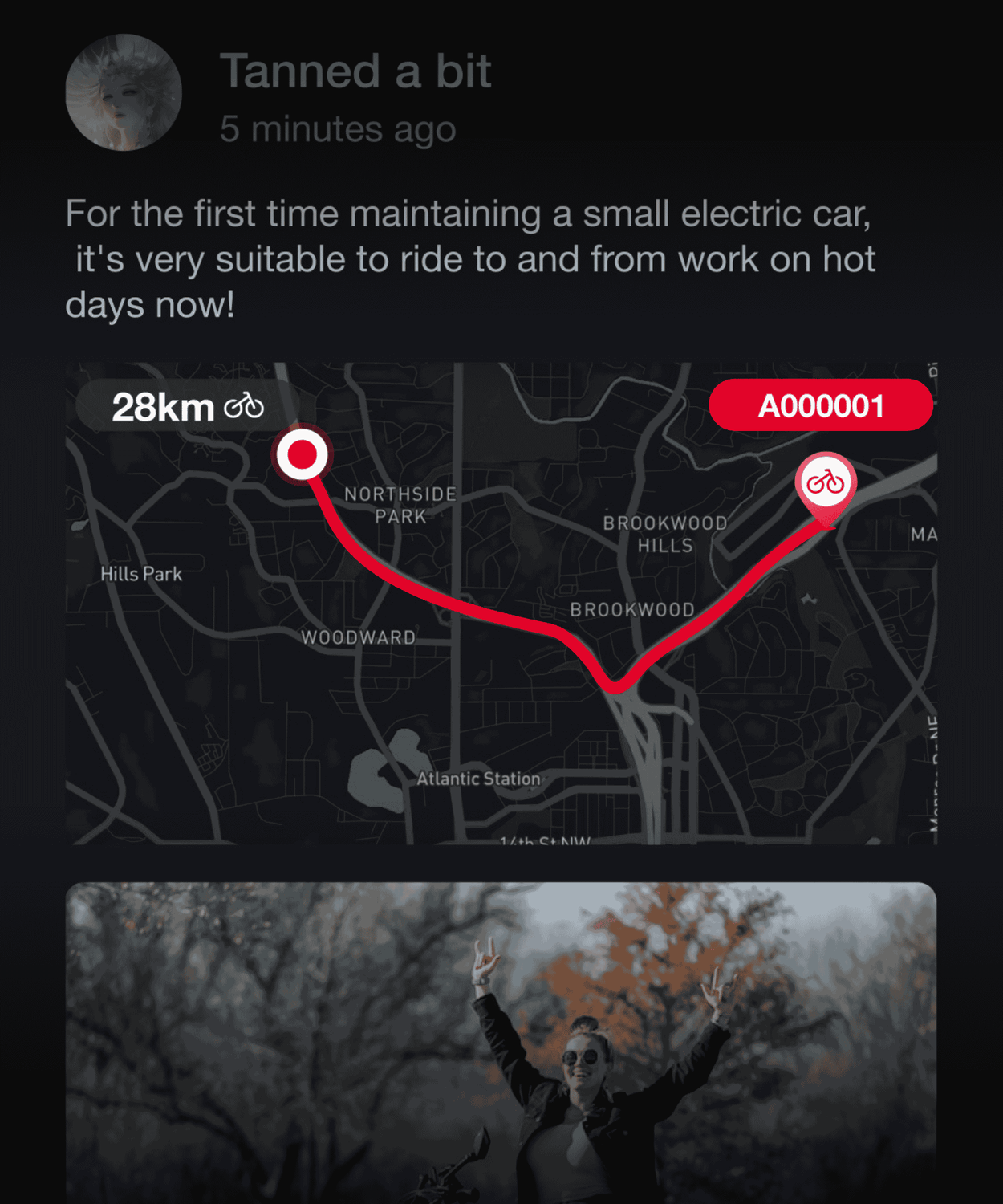
Route Tracking&Real-Time Navigation
Find My Bike
SOS Detection
Theft Alerts
Geofence Alert

Smart Proximity Unlock

Auto-Unlock Your Bike When Approached, No Manual Passcode Needed
* This feature is only available with TBOX smart control module.

Route Tracking & Real-Time Navigation

Featuring a detailed ride dashboard, our APP allows you to conveniently monitor various cycling metrics such as distance, speed, carbon reduction, and battery status at any time. With precise navigation powered by Mapbox, our app guides you to any destination you wish to explore, offering detailed route tracking and dynamic playback for an enhanced riding experience.

Find My Bike

Stay informed about your bike's movements with real-time location and route tracking. The HORN guides you to your bike with ease through audible prompts.
* This feature is only available with TBOX smart control module.

SOS Detection

In times of emergency, we're always by your side. Our SOS emergency system automatically detects accidents and offers swift rescue options, assisting you in contacting your pre-set emergency contacts when needed.
* This feature is only available with TBOX smart control module.

Theft Alerts

Theft Alert: Our built-in sensor alarm system triggers an app notification in case of unauthorized movement, keeping your bike secure.
* This feature is only available with TBOX smart control module.

Geofence Alert: Invisible Protection for Your Bike

Add an invisible shield of protection for your bike! Easily set and adjust safety zones with a simple tap. The onboard sensors keep you informed of any real-time movements in and out of the designated areas.
* This feature is only available with TBOX smart control module.

Road Book

Personalize Your Cycling Adventures

Service Centers

Ensuring a Smooth and Worry-Free Ride

Community: Connect and Share Your Ride

Engage in our vibrant community by posting, liking, and commenting. Share your cycling experiences and lifestyle, and find like-minded riders to connect with.

How to Connect Your E-bike to the App

The Vanlife E-bike App easily connects to an e-bike by scanning the exclusive QR code displayed on the e-bike's screen using its built-in camera.

Download the Vanlife E-bike App

Go to the App Store or Google Play, search for and download the "Vanlife E-bike" App. The "Vanlife E-bike" APP is a free software for e-bike riders to record and track their riding routes. It is designed to help you easily use Vanpowers e-bikes, easily customize your personalized riding experience, enrich your outdoor riding life, and enjoy more riding fun.

Create Your Account and Log In

During the registration process, you will receive a 6-digit verification code via email. You can also log in instantly using your Google or Apple account. After registering an account, check if Bluetooth is enabled on your phone and grant GPS/location permissions to the "Vanlife E-bike" app. Then, open the "Vanlife E-bike" application to proceed to the next step.

Open the E-bike Display QR Code

Double-click the E-bike "Power" button to enter or exit the display menu interface. Short-press the "+" button to navigate up through the menu, and short-press the "-" button to navigate down. After switching to the "bluetooth" option, press the '+' button and the "-" button simultaneously to enter the selected "bluetooth" menu item, where you will see the display QR code.

Open the App and Start Pairing

On most Vanpowers e-bike displays, a QR code for pairing will appear on the screen. Open the "Vanlife E-bike" app on your phone, tap "Register Ebike" in the app, and then use the app's built-in scanner to scan the unique QR code on the e-bike display to bind your e-bike.
* If "Register Failed" appears, please try turning off the Bluetooth functions on both the e-bike and your mobile phone, then turn them back on and attempt to register again. If you still fail to register, please contact customer support for assistance.

Start Your Personalized Riding Journey

Please wait for the Bluetooth connection to be confirmed. Once successfully paired, you will see a bike icon or a "Registered Successfully" status within the app. Upon a successful connection, the app will register you as the owner of the e-bike. You can now monitor the battery level, adjust the pedal-assist level, and view your ride history.
* If this e-bike has been previously paired with another account (common with used e-bikes), the previous owner may need to remove the e-bike from their account before you can pair it.

Activate the Smart System

Go to the "My" page in the app. Clicking on the successfully bound device card under the username will take you to the device details page, where you can modify the vehicle name, upgrade the vehicle firmware, and authorize family members to use the vehicle. In addition, you can click the "+" button to add the smart system, scan or manually add the TBOX IMEI to enter the smart system, and enable emergency rescue and anti-theft location alarm functions.
* TBOX is usually located inside the black box of the upper or lower tube. You need to use a screwdriver to unscrew the screws on the back and then lift the cover to see the IMEI label on the TBOX.